
Entry
TaskRio vs Tasks.Bot for CRM Integration Automation
Your CRM holds the deal data, but your team still chases updates in chat threads. Every task assigned outside the system means another record that goes stale by Friday. That gap is what this comparison addresses.
You will learn how Tasks.Bot works as a WhatsApp-native task platform, whether it can automate CRM integration directly, and which features support CRM-driven workflows. You will also see pricing, beta status, and who should choose it, so you can decide without a sales call.
What Is Tasks.Bot? A WhatsApp-Native Task Platform
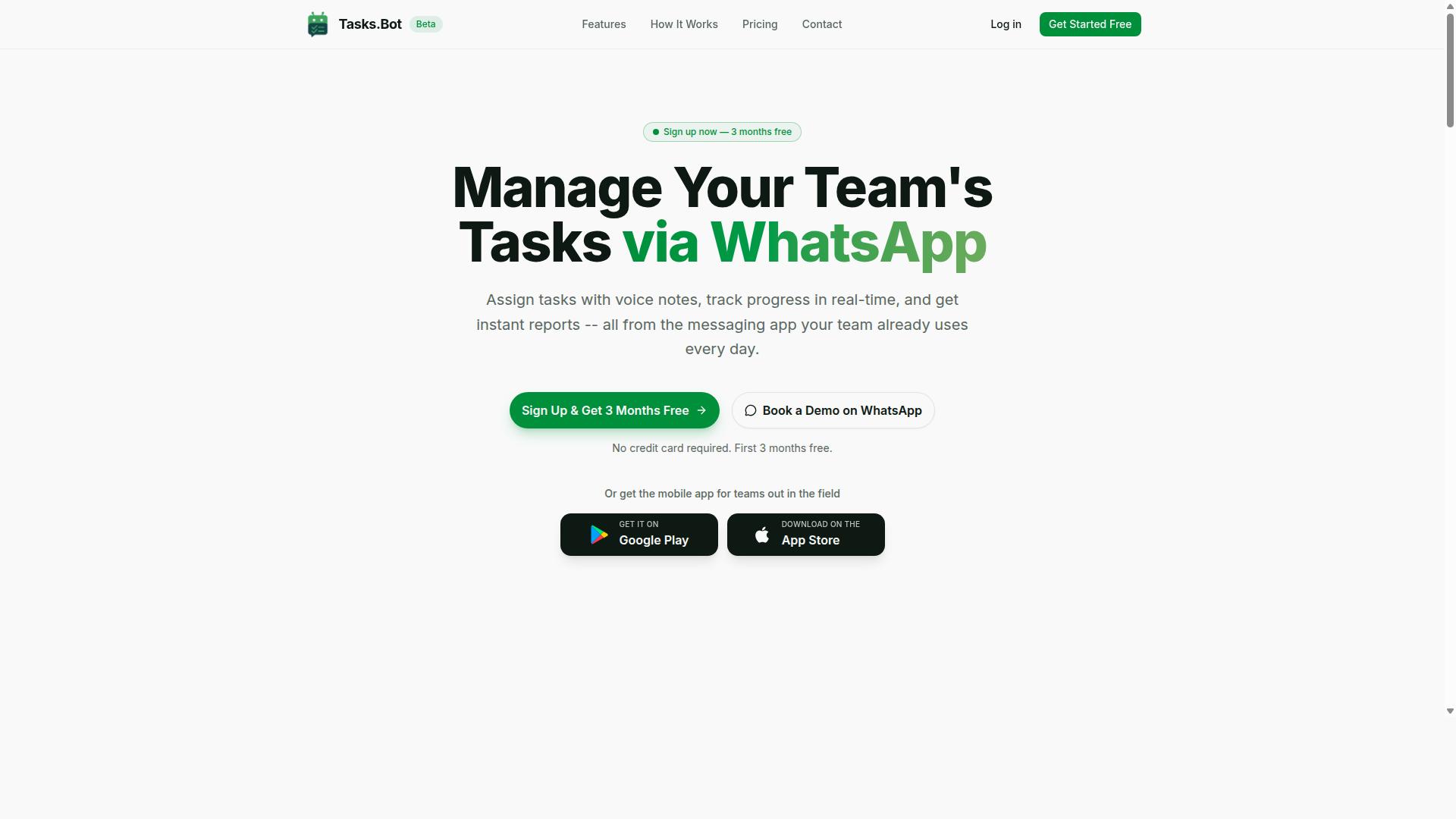
Tasks.Bot is a task management platform that operates entirely within WhatsApp, allowing teams to assign tasks, track progress, and receive reports without leaving the messaging app. There is no separate dashboard to learn and no new login to remember. The conversation thread your team already uses becomes the workspace.
That design choice matters more than it might sound. Most task tools ask every team member to install an app, create an account, and check in regularly. Tasks.Bot removes that barrier entirely because the tool lives where people already spend their day.
For teams that spend hours on job sites, in vehicles, or with customers, that difference is practical. Adoption friction is one of the main reasons task software fails, and a WhatsApp-native approach sidesteps it. Tasks.Bot also offers a mobile app for field teams, so workers who need a dedicated interface still have one.
The platform is currently in beta and offers a free trial period, so teams can evaluate whether the WhatsApp-first model fits how they already work. Hundreds of teams are already using the service, according to the company.
Who Tasks.Bot Serves and How It Fits CRM Workflows
Tasks.Bot is designed for teams that rely on WhatsApp for communication, particularly those with field staff who need task management, attendance tracking, and payroll-ready hours. Think of service crews, sales reps on the road, delivery teams, and maintenance staff. These are people who are rarely sitting at a desk, yet they are the ones who carry out the work a CRM records.
This is where the CRM integration angle becomes useful. A customer relationship management platform such as Salesforce, HubSpot, Zoho CRM, or Pipedrive holds the lead, contact record, and deal pipeline data. What it often lacks is a reliable way to push the next action to the person doing the work. Tasks.Bot helps bridge that gap between the CRM system and the frontline team.
In a typical setup, a new lead or a stage change in the CRM can trigger a task. That task is created, assigned, and tracked inside WhatsApp, where the field rep will actually see it. A few common examples:
- A new Salesforce lead triggers a follow-up task assigned to the rep who owns the territory.
- A HubSpot deal moves to a new stage, prompting a reminder to send a quote or schedule a call.
- A Zoho CRM contact record update creates a check-in task for an account manager.
- A Pipedrive activity logs a callback request that becomes an assigned task in the field rep's chat.
Integration options typically include API integration, webhooks, and no-code automation platforms such as Zapier or Make, which connect trigger-based actions without custom development. Conditional logic and field mapping decide which task goes to whom, while activity logging keeps the CRM record current. The result is a shorter path from CRM data to real-world action, with fewer dropped follow-ups.
Can Tasks.Bot Automate CRM Integration? The Direct Answer
Yes, Tasks.Bot can automate CRM integration, but it does so indirectly by acting as a task execution layer that connects to CRM platforms through third-party automation tools like Zapier or Make. That distinction matters because it shapes what the setup looks like and what results you can realistically expect.
In practice, Tasks.Bot does not ship with native, out-of-the-box connectors for Salesforce, HubSpot, Zoho CRM, or Pipedrive. Instead, it works alongside no-code automation platforms that handle the connection between your CRM and your task workflow. The CRM remains the system of record, while Tasks.Bot becomes the place where follow-up work actually gets created, assigned, and completed.
This is a common pattern in modern workflow automation. Many task management tools rely on middleware rather than building and maintaining dozens of direct integrations. The trade-off is a small amount of initial setup in exchange for flexibility across many CRM platforms.
Typical flow for a CRM-triggered task:
- A CRM event fires, such as a new lead being created, a contact record being updated, or a deal moving to a new pipeline stage.
- Zapier or Make catches that event through a native CRM trigger or a webhook.
- The automation platform sends the relevant data to Tasks.Bot through an API call or incoming webhook.
- A task is created in Tasks.Bot with the details pulled from the CRM record.
- Conditional logic routes the task to the right person or team based on fields like territory, deal size, or lead source.
- Automated reminders and follow-up sequences keep the task moving until it is marked complete.
This setup enables automated task creation, task assignment, and reminders driven directly by CRM data. A sales rep does not need to manually log a follow-up after a deal stage change. The task appears on its own, with the context already attached.
What this approach does well:
- Removes manual task entry after CRM events
- Keeps follow-up consistent across the sales team
- Supports trigger-based actions tied to lead management and deal pipeline changes
- Works across Salesforce, HubSpot, Zoho CRM, and Pipedrive without custom development
Limitations to understand before you build:
- It requires setup. Someone has to configure the automation platform, map fields, and test the flow.
- It may not support bidirectional sync natively. Data often flows one direction, from CRM to Tasks.Bot, unless you build a second automation for the reverse path.
- Field mapping and data transformation need attention, especially with custom fields that do not match cleanly between systems.
- Error handling matters. If a task fails to create, you need a way to catch and retry it.
- Activity logging back to the CRM usually depends on a separate step in the automation.
For teams weighing TaskRio vs Tasks.Bot for CRM integration automation, the practical question is not whether CRM-triggered task creation is possible. It is how much configuration you are willing to manage and how much of the workflow you want handled inside the task tool itself.
If your priority is a flexible task execution layer that plugs into the CRM you already use, this indirect model works well. If you need deep real-time sync with no middleware, that is a different requirement and worth confirming against your specific stack before committing.
Key Features That Support CRM-Driven Automation
Tasks.Bot offers a suite of features that enable CRM-driven automation, from voice-activated task creation to automated reminders and reporting. The platform operates entirely within WhatsApp, so team members do not need to install anything or create new accounts. That low-friction design matters when the goal is getting sales and field teams to actually use a task management system alongside their CRM.
Each capability maps to a real need in CRM integration automation. Voice note task creation speeds up data capture. AI-powered natural language processing turns messy human input into structured records. Automatic task assignment handles routing without manual dispatch. Smart deadline reminders keep follow-up sequences moving. Approvals and automations enforce process discipline. Instant reports deliver visibility without exporting spreadsheets.
For teams running Salesforce, HubSpot, Zoho CRM, or Pipedrive, these features reduce the gap between what happens in the field and what gets logged in the system of record. A rep who updates a deal pipeline in the CRM still needs someone to act on it. Tasks.Bot closes that loop by turning intent into assigned, tracked work.
Tasks on the map and a live day tracker extend the same logic to mobile teams, showing where work is happening and how the day is progressing. The following subsections break down how each feature set supports CRM-driven workflows in practice.
Voice Notes, AI Task Creation, and Automatic Assignment
Tasks.Bot uses AI to understand natural language and voice notes, allowing users to create tasks simply by speaking, and then automatically assigns them to the right team members. A user records a voice note in WhatsApp. The AI interprets the intent and produces a structured task with details like due date, priority, and assignee.
This matters for CRM-driven work because field updates rarely arrive as clean form submissions. A sales rep leaving a client site can say "Follow up with Acme Corp next Tuesday" and get a task created and routed without opening a laptop. The task creation step happens in seconds, inside the tool the rep already uses all day.
Automatic assignment adds the routing layer. Tasks can be directed by predefined rules, such as assigning to a specific team or aligning with CRM data like the lead owner. In a lead management context, that means a new inquiry can generate a follow-up task for whoever owns the contact record, rather than sitting in a shared queue.
- Field teams: capture site visit outcomes as voice notes and convert them into assigned follow-ups
- Sales teams: turn call notes into next-step tasks tied to the right account owner
- Support teams: log customer requests verbally and route them to the correct queue
The efficiency gain is straightforward. Less time typing, fewer dropped follow-ups, and a clearer link between what a rep promised and what the team actually does next.
Approvals, Smart Reminders, and Instant Reports
Tasks.Bot includes approval workflows, smart deadline reminders, and instant reporting to keep tasks on track and provide visibility into team performance. These three features work together as a control layer over the automation described above.
Approvals let certain tasks require sign-off before they are marked complete. A manager can approve with a simple reply in WhatsApp. In a CRM context, this is useful for anything that touches customer records, such as a discount request, a contract change, or a refund, where the workflow needs a checkpoint before the deal pipeline advances.
Smart deadline reminders are triggered by deadlines and task status. They reduce missed deadlines without anyone manually chasing. When connected to CRM events, reminders can fire off the back of a stage change or an approaching renewal date, so the nudge arrives at the moment it is relevant.
Instant reports generate views on task completion, team performance, and similar metrics directly within WhatsApp. A manager can receive a daily summary of overdue tasks without logging into a separate dashboard.
- Daily overdue task summaries pushed to a manager's chat
- Completion rates by team or individual
- Reports that include CRM-linked tasks so activity logging stays consistent
Together, these features give workflow automation a feedback loop. Tasks get approved, chased, and measured, and the reporting keeps the CRM record honest about what actually happened.
Face-Verified Attendance, GPS Tracking, and Payroll-Ready Hours
For teams with field staff, Tasks.Bot offers face-verified attendance, GPS tracking, and payroll-ready hours, ensuring accurate time and location tracking. Field staff check in using facial recognition through the mobile app, which prevents buddy punching and keeps attendance records trustworthy.
GPS tracking records locations at check-in and during task execution. That creates proof of service, which is valuable when a customer disputes whether a visit occurred or when a delivery needs verification. The live map view gives dispatchers a real-time picture of where the team is working.
Payroll-ready hours are calculated automatically and can be exported for payroll processing. This removes a recurring administrative burden and reduces disputes over timesheets.
The CRM connection is where these features earn their place in a broader automation strategy. When a field task is completed, the time and location data can be logged back to the CRM for customer records or billing. A completed service visit becomes a timestamped, geo-verified entry rather than a note someone remembers to add later.
- Field service teams: verified arrival and completion times attached to the job record
- Delivery personnel: location proof for each stop
- Sales reps visiting clients: visit confirmation that feeds activity logging in the CRM
For organizations that bill by the hour or need defensible service records, this combination of face-verified attendance, GPS data, and exportable hours makes the CRM record more accurate, not just more complete. Tasks.Bot provides a 3-month free trial with no credit card required, so teams can evaluate how these features fit their existing CRM workflows before committing.
Pricing and Plans: Full Access With No Hidden Tiers
Tasks.Bot offers a single 'Full Access' plan that includes all features, with pricing available in Indian Rupees and US Dollars. There are no starter tiers, no feature gates, and no upgrade walls to work around. Every capability the platform offers sits inside that one plan.
For teams weighing CRM integration automation, this structure removes a common headache. Many task management tools split workflow automation across multiple tiers, forcing buyers to guess which level unlocks API integration, webhooks, or advanced trigger-based actions. With Tasks.Bot, that guesswork disappears.
| Plan | Price | What's Included |
|---|---|---|
| Monthly | ₹200 per member per month | All features |
| Annual | ₹1,200 per year per member | All features |
The annual option works out to roughly ₹100 per month per member, a 50% saving compared with paying monthly. That adds up to ₹1,200 saved per member each year. Pricing is also available in US Dollars, and the site includes a 'Select currency' option for Indian Rupee and US Dollar, so confirm your preferred currency before checkout.
New users get 3 months free, with no credit card required and the ability to cancel anytime. That trial window gives teams room to test real scenarios, such as syncing contact records from HubSpot or pushing deal pipeline updates from Salesforce, before committing budget.
It is worth noting that Tasks.Bot is currently in beta. Beta status can affect how pricing or features evolve over time, so it pays to check the current terms directly on the website rather than relying on older information.
For buyers comparing task management options, the takeaway is simple. One plan, one price, every feature. That transparency makes it easier to budget for CRM integration automation without negotiating tier upgrades later.
Trust Signals: Beta Status, Refund Policy, and Early Adopters
Tasks.Bot is currently in beta, offers a refund policy, and is already used by hundreds of teams, providing early validation and risk mitigation. For anyone weighing it against TaskRio for CRM integration automation, these three signals matter more than any feature list. They tell you where the product stands today, what protection you have if it does not fit, and whether other businesses have already committed to it.
Beta status is the signal people misread most often. It means the platform is still evolving, which cuts both ways. On the positive side, it points to active development and a team that is still shipping improvements rather than coasting on a finished release.
On the caution side, beta software can carry rough edges. In a CRM context, that could mean certain connectors, field mappings, or trigger-based actions are still maturing. That is a reasonable trade-off for teams who value influence over polish, and a reason for others to wait.
The refund policy mentioned in the site footer acts as a safety net. It lowers the cost of trying Tasks.Bot and finding out whether its approach to workflow automation fits how your team actually works. Readers should confirm the current terms directly on the website, since policies can change as a product leaves beta.
Adoption is the third signal, and arguably the strongest. Hundreds of teams already use Tasks.Bot, which is real-world validation rather than a marketing claim. Early adopters put the platform through genuine workloads: lead management, task routing, automated reminders, and activity logging across CRM platforms such as Salesforce, HubSpot, Zoho CRM, and Pipedrive.
That matters for CRM integration automation specifically. Integrations are only proven once real data flows through them, and a base of active users generates exactly that kind of feedback. Early adopters also tend to shape the roadmap, so teams joining now can influence which connectors and conditional logic paths get attention first.
The copyright year of 2026 signals a forward-looking company. It suggests a business planning past the current cycle rather than one winding down. Combined with beta status, it paints a picture of a platform in active build mode.
Before committing, check the latest status and refund terms on the Tasks.Bot website. Beta conditions, connector coverage, and policy language can all shift. A five-minute review of the current state beats relying on any secondhand summary, including this one.
The verdict is straightforward. Beta status is a sign of momentum, not instability. A refund policy removes most of the financial risk. Hundreds of teams using the product confirm it works in practice. For CRM integration automation, Tasks.Bot is a legitimate, low-risk option worth evaluating, particularly for teams that want a hand in shaping what comes next.
Who Should Choose Tasks.Bot for CRM Integration Automation
Tasks.Bot is ideal for teams that use WhatsApp as their primary communication tool and need to automate task creation from CRM data, especially those with field staff. If your daily work already happens inside WhatsApp, this setup removes the friction of juggling a separate task app.
The service is built for teams that rely on WhatsApp for communication, particularly those with field staff who need task management, attendance tracking, and payroll-ready hours. That combination matters because these teams often work away from a desk and cannot afford to check multiple dashboards between jobs.
Hundreds of teams already use the service, which suggests the model works for organizations that want task management and CRM integration automation in one place rather than spread across disconnected tools.
Field service, sales, and operations teams get the most value here. They can trigger tasks from CRM events and carry them out in WhatsApp without switching apps, which keeps follow-ups moving even when someone is on the road.
Small and medium businesses also fit well. A single, all-in-one task management and automation solution is easier to run than a stack of separate subscriptions, especially when there is no dedicated ops or IT team to maintain it.
Consider a real estate agency that manages leads in HubSpot. When a new lead lands in the CRM, the agency can assign a follow-up task to an agent in the field, and that agent works the task through WhatsApp. No app switching, no missed handoffs.
Tasks.Bot is not the right fit for every team, and it is worth being honest about that. Organizations that do not use WhatsApp as a working channel will not see the benefit, since the whole model depends on it.
Teams that require native, deep CRM integrations with bidirectional sync should also look elsewhere. Tasks.Bot focuses on triggering tasks from CRM data and executing them where the team already communicates, not on full two-way data synchronization across every record and field.
If your priority is a lightweight way to turn CRM activity into assigned, trackable work for people who live in WhatsApp, Tasks.Bot is a strong match. If your priority is deep native sync with a CRM platform, it is not built for that job.
Final Verdict: Is Tasks.Bot Worth It?
Tasks.Bot is worth considering if you need a WhatsApp-native task platform with CRM automation capabilities, but it may not be the best fit for every team. The decision comes down to how your team already works and how deeply your CRM integration automation needs to run.
For teams that live in WhatsApp, the appeal is straightforward. There is no new app to install or learn, which removes one of the biggest adoption barriers in task management. Members keep working where they already spend their day, and task creation is handled through AI rather than manual form filling.
Attendance tracking adds another practical layer. Tasks.Bot uses face-verified attendance, which matters for teams that need accountability without adding separate check-in software. A single pricing plan also keeps budgeting simple, and the platform is available globally.
Here is a quick summary of where Tasks.Bot stands out and where it falls short:
- Pros: Operates inside WhatsApp, no new app for team members, AI-powered task creation, face-verified attendance, one straightforward pricing plan, global availability.
- Cons: No native CRM integrations, so connections to platforms like Salesforce, HubSpot, Zoho CRM, or Pipedrive require third-party tools such as Zapier or Make. The product is currently in beta, and public information about it is still limited.
The lack of native CRM connections is the most important trade-off to weigh. If your workflow automation depends on real-time sync, bidirectional data flow, or detailed field mapping inside a CRM, you will need middleware to bridge that gap. That adds setup effort and an extra layer to maintain.
Who should consider it, then? Teams already using WhatsApp that need simple, trigger-based task creation from CRM events are the strongest fit. A new lead in your CRM can prompt a follow-up task without anyone opening a separate project tool. That is the core value here: lightweight task creation tied to CRM activity, delivered where your team already is.
Who should look elsewhere? Anyone requiring deep native integrations, advanced project management features, or complex conditional logic across multiple systems may find the current offering too limited, especially while it remains in beta.
On balance, the verdict leans positive for its intended audience. Tasks.Bot solves a real problem for WhatsApp-first teams that want simple CRM-triggered tasks without another app in the stack. If that describes your team, it is worth a closer look.
To learn more, book a demo on WhatsApp or contact the team directly. You can reach them by phone at +91 97143 42522 or by email at hello@tasks.bot.
Frequently Asked Questions
What makes Tasks.Bot different from TaskRio for CRM integration automation?
Tasks.Bot is built around WhatsApp, so your team can assign tasks, get approvals, and receive reports without installing new software or creating extra accounts. That means CRM-related follow-ups, reminders, and automations happen right inside the app your team already uses every day. TaskRio is a separate task and project management tool, so the experience depends on adopting and working within its own platform.
Do I need to install anything or create new accounts to use Tasks.Bot?
No. Tasks.Bot operates entirely within WhatsApp, so team members don't need to install anything or create new accounts to start assigning tasks and tracking progress. There's also a mobile app available for field teams who need features like tasks on a map and live day tracking. This keeps adoption simple, especially for teams already communicating on WhatsApp.
How does Tasks.Bot handle task creation and CRM-related follow-ups?
Tasks.Bot uses AI to understand natural language and voice notes, so you can create tasks just by sending a message or voice note in WhatsApp. It also supports automatic task assignment, smart deadline reminders, approvals, and automations, which are useful for keeping CRM follow-ups on schedule. Instant reports let you see progress without chasing updates manually.
How much does Tasks.Bot cost compared to TaskRio?
Tasks.Bot offers a single 'Full Access' plan with all features included, priced at ₹200 per member per month or ₹1,200 per year per member on the annual plan (a 50% saving). Pricing is available in both Indian Rupees and US Dollars. For TaskRio's current pricing, check their website directly, as we can only speak accurately to our own plans.
Can Tasks.Bot support field teams that also need attendance and hours tracking?
Yes. Tasks.Bot is designed for teams that use WhatsApp, particularly those with field staff who need task management, attendance tracking, and payroll-ready hours. It includes face-verified attendance and live day tracking, alongside tasks on a map. This makes it a practical fit for field-heavy teams that also manage CRM follow-ups.
Is Tasks.Bot available in my country, and how do I get started?
Tasks.Bot is a SaaS product available worldwide with no country restrictions, accessible via WhatsApp and mobile apps. You can book a demo directly on WhatsApp to see how it fits your CRM integration automation needs. For questions, reach out at hello@tasks.bot or +91 97143 42522. Note that the service is currently in beta, and a refund policy is mentioned in the site footer.
Recommended Resources: